
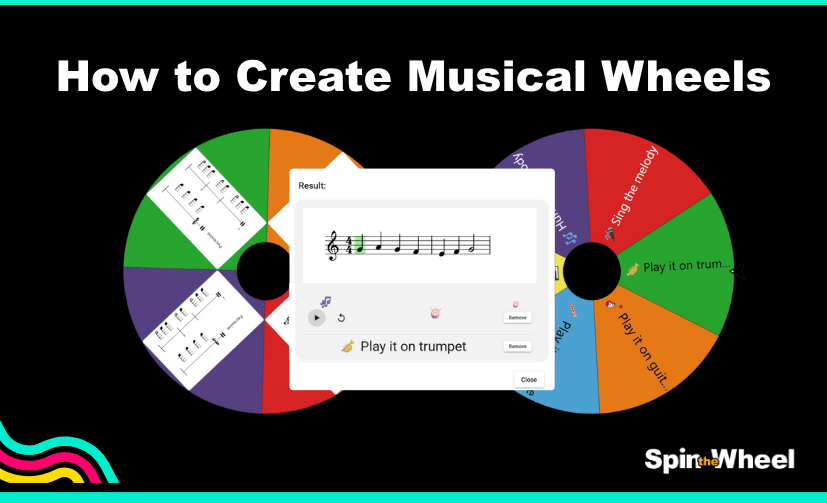
How to create Musical Wheels with MusicXML Feature
What are Musical Wheels?
The Musical Wheels allow you to spin and randomly choose notated musical passages that your students can sing, hum, play on an instrument, or interpret in any way they like.
With each spin, a new piece of sheet music is revealed for the performers to enjoy. Just like that 👇
How To Generate MusicXML files using AI (ChatGPT, Claude, Gemini...)
Modify the placeholders and insert this prompt into your preferred AI app:
Generate exactly 6 (any number) monophonic MusicXML melody files.

Requirements:

Each file must contain one complete melody only.

Duration: approximately 15 (enter your number) seconds when performed at the specified tempo.

Output a title for each melody.

Output a recommended filesystem-safe filename for each melody.

Provide complete, valid MusicXML code for each melody.

Place each MusicXML file in its own separate code block.

Include pitches, note durations, measures, time signature, key signature, and tempo marking.

Use standard MusicXML structure compatible with common notation software.

Do not include accompaniment, harmony, chords, lyrics, dynamics, articulations, percussion, or additional parts.

Ensure every MusicXML example is complete and immediately usable without modification.

Make each melody distinct in rhythm and contour.

Output exactly 6 MusicXML files and nothing else beyond the title, filename, and MusicXML code for each file.
How To Save the musicxml files
Open Notepad ➡️Paste the MusicXML code.

Click File ➡️ Save As.

- Set Save As Type to: All Files (.)
- Set Encoding to: UTF-8
- Save using the filename.musicxml

How to create Musical Wheels
Click on the Cog Wheel Icon ➡️ Select Wheel Design ➡️ Scroll down and enable MusicXML Files

Click on the Musical Note Icon ➡️ Paste your MusicXML File


Add another Wheel and your options like on the image below:And Remember, you can customise the wheels with our Fun Animations and Quirky Sounds!