
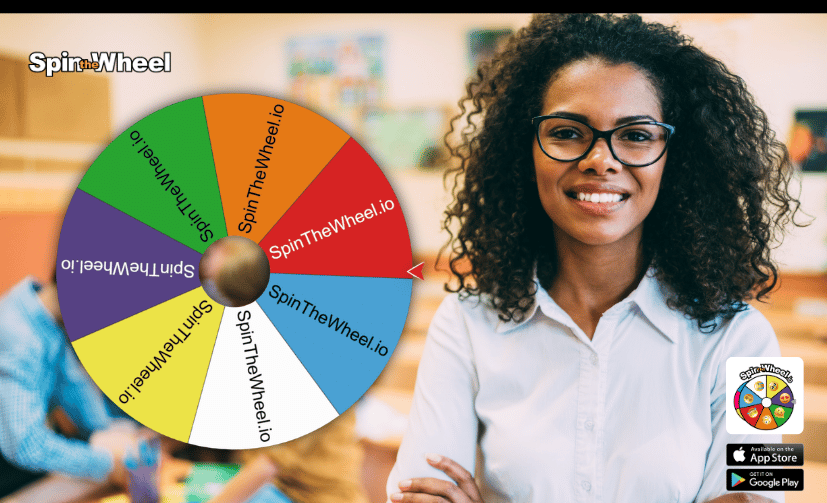
SpinTheWheel.io: The Best Spin the Wheel App for Teachers
Looking for the best spin the wheel app for teachers? SpinTheWheel.io is a fully customisable digital wheel designed to make everyday lessons more interactive and engaging.
Whether you need a random name picker for teachers to choose a student fairly, a classroom spinning wheel for quick quizzes, or a simple decision-maker for daily routines, a digital wheel transforms ordinary tasks into exciting learning opportunities.
From primary school warm-ups to secondary school revision games and language practice, teachers can use a random student selector to boost participation, introduce variety, and keep every student attentive.
Why SpinTheWheel.io Is the Ideal Classroom Tool
An effective digital teaching aid must be intuitive, flexible, and adaptable across various subjects. SpinTheWheel.io combines these essentials into a seamless platform that fits any teaching style.
Instead of drawing names from a hat or calling on the same volunteers, an interactive wheel introduces an element of surprise that energises the room.
Key Classroom Benefits
- Random Student Selection: Add your class roster to instantly pick participants without bias.
- Interactive Learning Games: Design wheels for formative assessments, group challenges, and revision sessions.
- Deep Visual Customisation: Personalise entries with custom colours, themes, images, and visual elements.
- Audio-Visual Feedback: Engage students with realistic spinning sounds, fanfare, and celebratory animations.
- Saved Teaching Resources: Store, manage, and retrieve customised wheels for different classes and subjects.
1. Fast & Fair Random Name Picker for Teachers
One of the most effective applications of a classroom spinning wheel is managing daily student participation.
Using a dedicated random name picker for teachers eliminates perceived favouritism and simplifies turn-taking. Simply paste your roster, hit spin, and let the wheel choose who goes next.
Pro Tip for Educators: Introduce the wheel as a supportive tool rather than a high-pressure interrogation device. Ensure students feel encouraged to participate rather than anxious about where the wheel stops.
Practical Applications
- Selecting students to read aloud or answer questions.
- Assigning weekly classroom jobs and responsibilities.
- Choosing student presenters or discussion leaders.
- Forming balanced project groups and activity teams.
- Encouraging quieter students to share their ideas.
The "Remove Winner" Advantage
To avoid calling on the same student twice in a single session, enable the Remove Selected Entry setting. This automatically removes drawn names temporarily, ensuring every student gets an equal turn before the roster resets.

2. Make Daily Lessons More Interactive
Keeping a class focused during repetitive drills or end-of-unit revision can be challenging. Adding a random name wheel or task selector introduces healthy anticipation into the lesson structure.
By placing questions, prompts, or activities directly onto the wheel, you turn straightforward revision sessions into active learning games across any subject, including science, history, maths, and languages.
Sample Revision Wheel Prompts
- Concept Check: "Explain the key topic from yesterday in your own words."
- Skill Practice: "Solve the problem written on the board."
- Vocabulary: "Define today's key term and use it in a sentence."
- Reflection: "Summarise the lesson in under 30 seconds."
- Peer Learning: "Ask a classmate a question about today's material."
- Creative Challenge: "Give a real-world example of this concept."
3. Dynamic Spin-the-Wheel Classroom Quizzes
A spin-the-wheel quiz adds gamification to formative assessments without requiring complex software setups.
Instead of working through study guides sequentially, create a wheel containing different subject categories or difficulty tiers. Students spin to determine their question category on the spot.
Quiz Wheel Formatting Ideas
- Subject Categories: Divide questions into topics (e.g., Grammar, Vocabulary, Reading Comprehension, Spelling).
- Tiered Difficulty: Set entries to Warm-Up (1 pt), Standard (2 pts), Challenge (3 pts), or Bonus Round.
- Team Competitions: Use the wheel to assign distinct category challenges to competing student groups.
Note: SpinTheWheel.io handles the random selection process; teachers maintain control over the actual questions, answer verification, and marking.
4. Fully Customisable Wheel Options
Every classroom dynamic is unique, which is why flexibility is built into SpinTheWheel.io.
Customisation Features
- Custom Entries: Input text, names, numbers, maths formulas, or foreign language characters.
- Visual Styling: Match colours to school branding, seasonal holidays, or specific subject themes.
- Graphics & Emojis: Insert visual cues to assist younger learners and EAL/ELL students.
- Sound Control: Toggle spinning sound effects, adjust volume, or enable victory audio.
- Winner Display: Customise result pop-up windows and celebratory animations.
- Auto-Remove Settings: Choose whether winning entries stay on the wheel or are removed automatically.

5. Inclusive & Accessible Classroom Features
Digital tools should support every learner in the room. SpinTheWheel.io includes features designed to accommodate diverse learning styles and accessibility needs.
Universal Design Strategies
- Text-to-Speech (TTS): Enable the automated voice feature to read the winning entry aloud for auditory learners or visually impaired students.
- High Contrast: Choose colour palettes with distinct visual contrast for optimal projector visibility.
- Clear Wording: Keep entry text short and direct so it remains readable while spinning.
- Balanced Audio: Keep sound effects at comfortable volumes for neurodivergent or sensory-sensitive students.
6. Save, Organise, and Reuse Digital Wheels
Teachers rarely have time to rebuild digital assets from scratch. SpinTheWheel.io allows registered users to save, edit, and organise multiple wheels in one place.
Recommended Wheel Libraries
- Decision Makers
- Two choice decisions
- Educational
- Fun Answers
- Random Selection
- Draws, Raffles & Giveaways
- Games
- Random Number Generators
7. Yes or No Wheel for Instant Decisions
When an activity only requires a simple binary choice, a Yes or No wheel offers a fun, neutral way to make quick classroom calls.
Classroom Uses
- "Should we do a 2-minute bonus challenge?"
- "Will today's practice be individual or in pairs?"
- "Should we pick an optional extra credit question?"
Educational Note: Using binary wheels is also a great visual method for introducing basic probability and statistics concepts to maths classes.
8. Boost Classroom Engagement & Routine
Beyond simple selection, a classroom spinning wheel brings enthusiasm to routine administrative tasks.
By inviting students to help build wheel entries or using themed wheels for special occasions (e.g., mystery challenges, revision days), teachers can cultivate an active, participatory learning environment.
When paired with clear learning objectives, the visual suspense of a spinning wheel keeps students locked into the lesson flow.
9. Start Using SpinTheWheel.io Today
If you are looking for an intuitive, reliable spin the wheel app for teachers, SpinTheWheel.io delivers the speed, customisation, and interactivity you need.
Start with a simple student name selector, then explore category quizzes, challenge wheels, and custom designs tailored to your curriculum.
Ready to make your lessons more interactive?
Visit SpinTheWheel.io today to build your first free classroom wheel and bring a new level of engagement to your next lesson!
Frequently Asked Questions
What is the best spin the wheel app for teachers?
SpinTheWheel.io is widely considered one of the top choices for educators due to its ease of use, robust customisation features, text-to-speech accessibility, and ability to save rosters and revision games for future lessons.
How can a teacher use a spinning wheel in the classroom?
Teachers use spinning wheels as a random student selector, an entry-level decision maker, a quiz topic selector, a group assigner, a task distributor, and an interactive tool for revision games.
Is SpinTheWheel.io effective as a random name picker for students?
Yes. Teachers can paste their full class list onto the wheel to create a clean, unbiased random name wheel. The optional auto-remove setting ensures every student is called on before a name repeats.
Can I save my classroom wheels for future use?
Yes. SpinTheWheel.io allows teachers to create, save, and manage multiple customisable wheels across different subjects, class periods, and activities.
Does SpinTheWheel.io have accessibility features?
Yes. The app includes a text-to-speech feature that automatically reads winning entries aloud, along with customisable high-contrast colours and adjustable audio settings to support visual and auditory needs.
Is a random name picker fair for all students?
A digital student name selector uses unbiased algorithms to select entries, ensuring equal mathematical probability for every name listed on the wheel.