
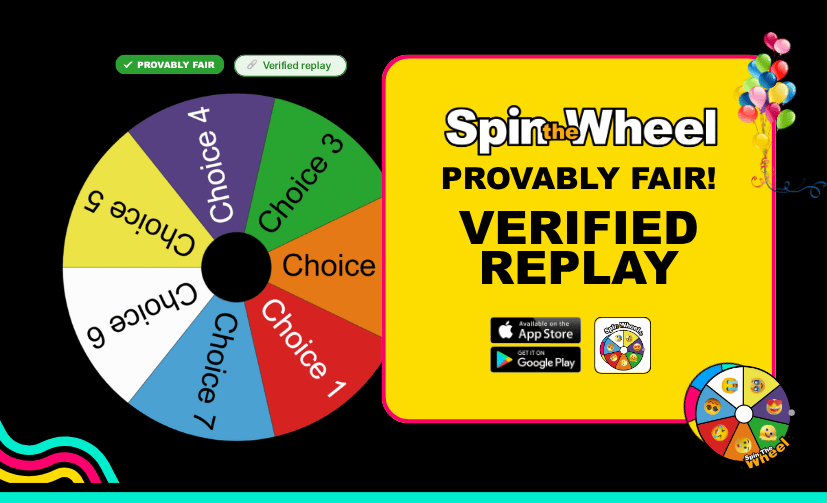
How to Run Tamper-Evident Giveaways: The Spin the Wheel App Feature for Verified Spins
If you’ve ever run an online giveaway, raffle, or live stream contest, you’ve probably faced it: that one person in the chat or comments claiming the results were rigged.
To be fair, they have a point. Most digital wheel spinner apps operate inside a black box. The host clicks a button, a screen-recorded animation plays, and a winner appears. There is no actual proof that the wheel wasn't modified behind the scenes, spun multiple times until a specific name won, or manipulated via local browser code.
When prizes, grades, or community reputations are on the line, blind trust isn't enough. That is why the Spin the Wheel.io web app introduced Provably Fair Draws; a server-side cryptographic verification system that gives your audience unalterable evidence that every single spin is 100% random and untampered.
The Tech: Why Server-Side Beats Local Spinner Apps
The term Provably Fair comes from advanced cryptography. It means the outcome of a digital drawing tool can be mathematically analysed and verified by an independent third party to ensure it hasn't been manipulated.
While standard roulette apps or basic name picker tools calculate results locally on your device (where code can easily be manipulated), the SpintheWheel.io application handles verified draws securely on our infrastructure:
- Zero Local Manipulation: When you spin, the winning selection is determined by a secure server algorithm, not your local browser code. This makes client-side manipulation completely impossible.
- Cryptographic Fingerprints: The server packages the winning result, the exact wheel configuration snapshot, and a tamper-resistant timestamp together, signing it with a secure digital signature.
- Tamper-Evident Data: Because the data is cryptographically locked, any attempt to alter the winner’s name, the timestamp, or the options on the wheel will instantly break the signature, flagging the replay as invalid.
How to Launch Your First Verified Spin App Draw in 60 Seconds
Running a tamper-evident draw takes less than a minute and does not require any technical background.
1. Lock In Your Entries (Save Your Wheel)
Because verification relies on an exact snapshot of your entries, the system only verifies saved wheels. If you make last-minute edits, hit the Save button before spinning to index your updates. Unsaved, on-the-fly changes are excluded to prevent backstage tampering.
2. Activate the Cryptographic Engine
Open the Design menu on your wheel interface and toggle on:
Generate proof of fair spins
This instructs our secure servers to generate a unique signature for this specific draw.

3. Let It Spin
Spin your wheel as normal. If you are running complex events, you can use the Spin All feature to draw across up to eight distinct wheels simultaneously. A ✓ Provably Fair badge will display on the screen, confirming the application is recording the session securely.
4. Deploy the Receipt (Share the Replay)
Once the wheel stops, the app generates a unique Verified Replay link. Copy this link and share it directly with your participants via Discord, social media, stream chat, or email.
What Your Audience Sees: Instant, Public Proof
When a participant clicks your Verified Replay link, they aren't looking at a static, easily photoshopped screenshot. They land on a secure, public verification page that displays:
[ ✓ Verified Badge ]
Draw Timestamp: YYYY-MM-DD HH:MM:SS UTC
Winning Result: [Username/Prize]
They can watch the exact replay animation of the wheel spin. If anyone questions the validity of the draw, the page provides the definitive audit trail.

Tailored for Your Stakes: Who Uses Verified Spins?
Whether you're picking a student or giving away a custom PC, the stakes matter. Here is how the app scales to your needs:
🔴 High-Stakes Draws (Web3, Brands, Live Streamers)
- The Reality: When valuable prizes, NFTs, or money are involved, communities naturally look for reasons to cry foul. FUD (Fear, Uncertainty, Doubt) can ruin a brand's reputation overnight.
- The Solution: Drop the Verified Replay link right into your pinned messages, Discord announcements, or chat commands. Highly technical audiences can trace the cryptographic signature, completely shutting down accusations of it being rigged.
🟢 Everyday Draws (Classrooms, Team Meetings, Casual Giveaways)
- The Reality: Even when the prizes are small, nobody likes feeling cheated. Teachers deal with students arguing over biased name pickers; managers deal with employees side-eyeing project allocations.
- The Solution: Use the visual proof page to show your team or classroom that the random name picker app is 100% neutral and un-rigged.
Troubleshooting & Live Action Fixes
If your verified spin isn't working as expected during a live event, use these quick fixes to get back on track:
- Error: 'Save your wheel first'
- The Quick Fix: Click the Save button in the top menu, refresh your layout, and launch the spin again. The server cannot sign an unsaved state.
- Error: 'Could not run the verified spin'
- The Quick Fix: Check your internet connection. A temporary network drop disconnected the app from the secure server. The wheel will still spin normally, but you will need a stable connection to generate a Verified Badge.
- Error: 'Couldn't verify this replay'
- The Quick Fix: Ensure you copied the complete, unaltered URL generated by the app. If anyone tries to modify the parameters in the address bar, the cryptographic signature breaks automatically to protect the integrity of your draw.
Stop Asking for Trust. Provide Proof.
If the outcome of your drawing matters to your audience, the tools you use should reflect that. By moving your random selections from a basic local script to a cryptographically verified server draw, you protect your brand, your reputation, and your community.
Ready to eliminate the doubt?
👉 [Launch Spin the Wheel & Enable Verified Spins Now]
Create your free account, save your custom wheel, and toggle on 'Generate proof of fair spins' in the Design menu to run your first un-riggable draw.