
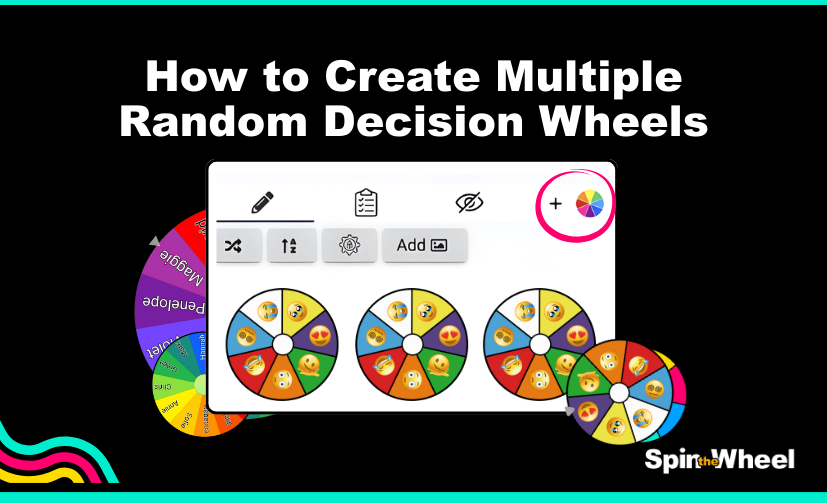
How to Add and Manage Multiple Wheels on SpinTheWheel.io
SpinTheWheel.io is the only spin-the-wheel app that allows you to spin up to eight wheels at the same time, making it perfect for classrooms, YouTube videos, interactive meetings, games, and pure random fun.
Loved by teachers, content creators, and teams around the world, SpinTheWheel.io makes decision-making more engaging than ever. In this guide, we’ll walk you through how to add multiple wheels, spin them together or separately, and remove wheels when you no longer need them.
Getting Started with Your First Wheel
When you open SpinTheWheel.io, you’ll start with a single wheel on the screen. This wheel works just like you’d expect, you can customise it, add entries, and spin it right away.
But the real magic begins when you start adding more wheels.
How to Add Multiple Wheels
Below each wheel, you’ll notice a small colourful wheel icon. This icon is used to add new wheels.
Step-by-step:
- Click the colourful wheel icon below your current wheel.
- A second wheel will instantly appear on the screen.
- The original wheel’s icon will change into a trash icon, allowing you to remove it if needed.
- The newest wheel will keep the add icon, letting you continue adding more wheels.
Repeat this process until you reach the maximum, up to 8 wheels on the screen at the same time.
This setup is perfect for:
- Multiple-choice games
- Classroom activities
- Tournament-style challenges
- Randomised decisions across categories
Spin One Wheel or Spin Them All
Once you have multiple wheels on the screen, you’re in full control.
- Spin individual wheels to resolve decisions one by one
- Or use the Spin All option to spin every wheel at the same time
This flexibility makes SpinTheWheel.io ideal for both structured activities and spontaneous fun.
How to Remove a Wheel
Don’t need a wheel anymore? Removing one is just as easy.
- Click the trash icon on the wheel you want to remove.
- A confirmation prompt will appear to make sure you didn’t click by accident.
- Confirm your choice, and the selected wheel will be removed instantly.
This extra confirmation step ensures that you never lose a wheel unintentionally.

Use SpinTheWheel.io Anywhere
You’re not limited to desktop, as SpinTheWheel.io is available on mobile devices as an app, too.
- Download the app from the App Store
- Get it on Google Play
The app is free, easy to use, and lets you enjoy the same powerful wheel features wherever you go.
Start Spinning Today
Whether you’re teaching a class, running a YouTube channel, hosting a meeting, or just having fun, SpinTheWheel.io gives you unmatched flexibility with multiple wheels.
👉 Try it now at SpinTheWheel.io
👉 Download the app on the App Store or Google Play
👉 Follow us on social media and tag us with your fun wheels, we’d love to see how you’re using them!
Happy spinning! 🎡
